

Case Study
Spatial Scene Reader
Patented accessibility solution for low vision users in immersive meetings

AI

Web
SUMMARY
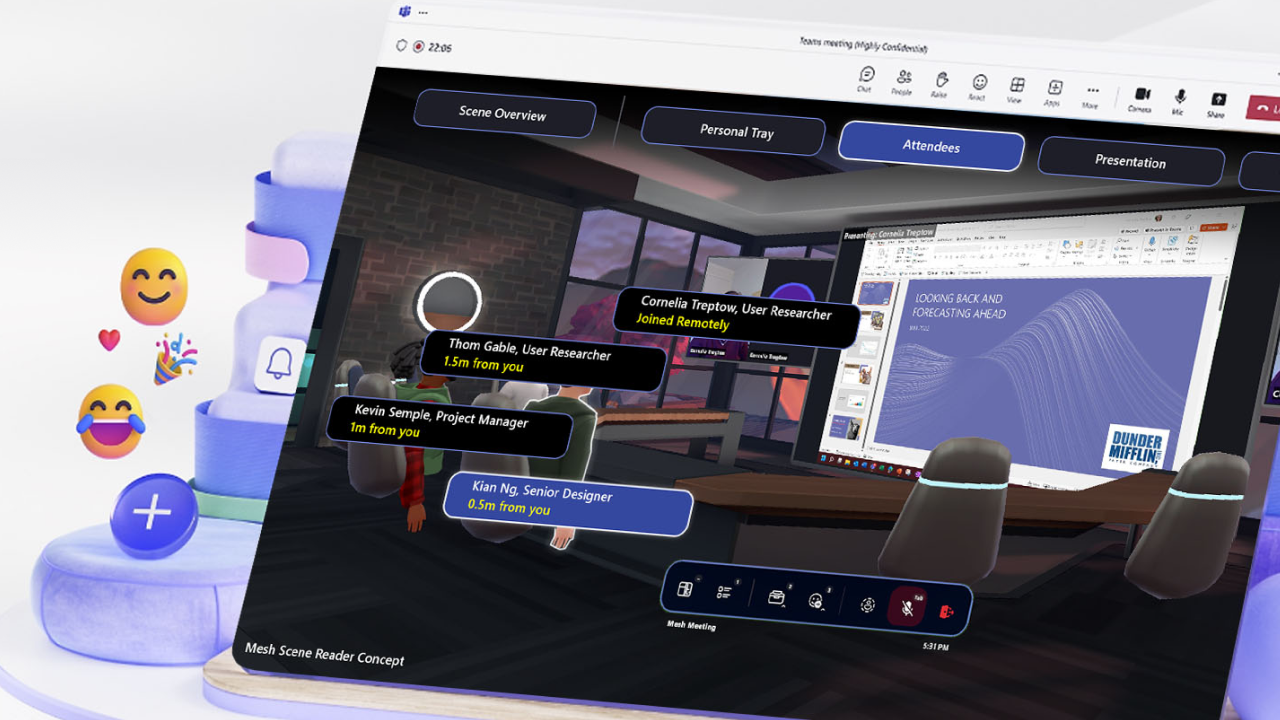
I designed Scene Reader, a solution that lets blind and low vision users attend Microsoft Mesh virtual meetings using their existing screen reader instead of learning something new. Working with a project manager and user researchers, and pulling in subject matter experts from Microsoft Research, Xbox, and the Inclusive Design Lab, I built a hierarchical navigation model that translates a virtual meeting's spatial complexity into something Windows Narrator could read aloud — unblocking the blind community from Mesh for the first time, and later earning a Microsoft patent for the approach.
ROLE
Senior Designer
TEAM
Project Manager, User Researchers
Collaborators
Mesh, Microsoft Research, Accessibility, Teams, Xbox
COMPANY
Microsoft Mixed Reality Design + Research
YEAR
2022
The Problem

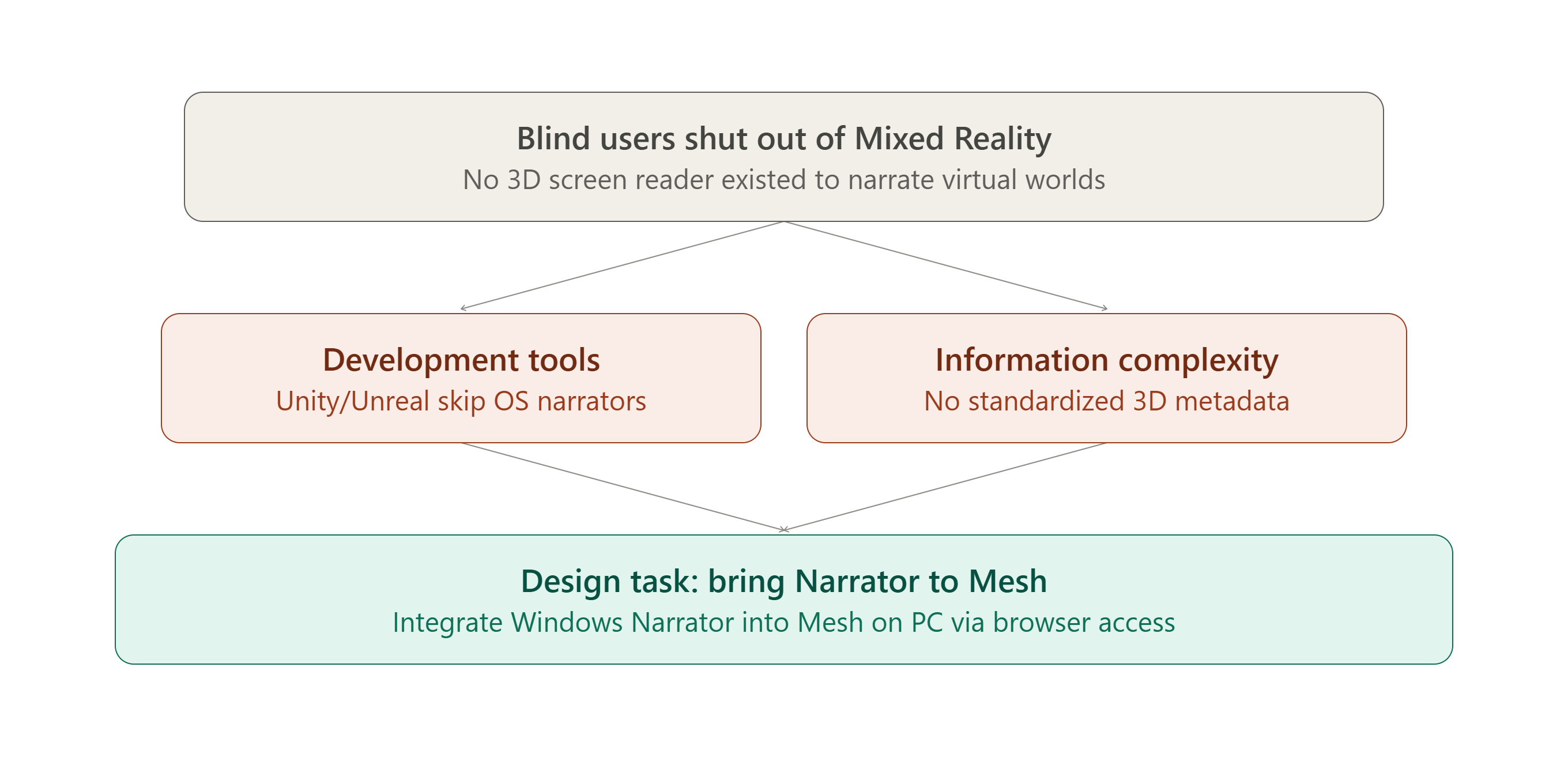
Mixed Reality immerses users in spatial experiences using visual, audio, and physical inputs like hands or controllers. But blind users had no way to navigate those environments, because no “3D screen reader” existed to narrate virtual worlds — shutting them out of virtual events and meetings entirely.
Two barriers explained why the solution didn't already exist. Development tools were one: Mixed Reality content is built in platforms like Unity or Unreal, which don't integrate with platform-level accessibility tools like screen narrators. Information complexity was the other: virtual environments contain layered elements — UI, objects, characters, environment, lighting — with no standardized 3D metadata for accessibility to hook into.
My task was to design a solution that let low vision and blind users attend virtual meetings with a minimal learning curve, scoped to Microsoft Mesh on PC, where Teams users host immersive meetings. The plan was to leverage Mesh's browser access to integrate Windows Narrator directly, deliver it in time for Mesh's upcoming public release, and ensure the accessibility features met legal compliance requirements.
Why I Started By Listening, Not Wireframing
Before sketching a single flow, I met with subject matter experts from Microsoft Research, Mixed Reality, the Inclusive Design Lab, and Xbox to gather insights on accessibility for low vision situations. I also reviewed past user studies with the blind community, to build genuine empathy and understand what actually mattered to them in a meeting, rather than guessing.
Bringing It to Life: A Hierarchy Built Around How Meetings Actually Work
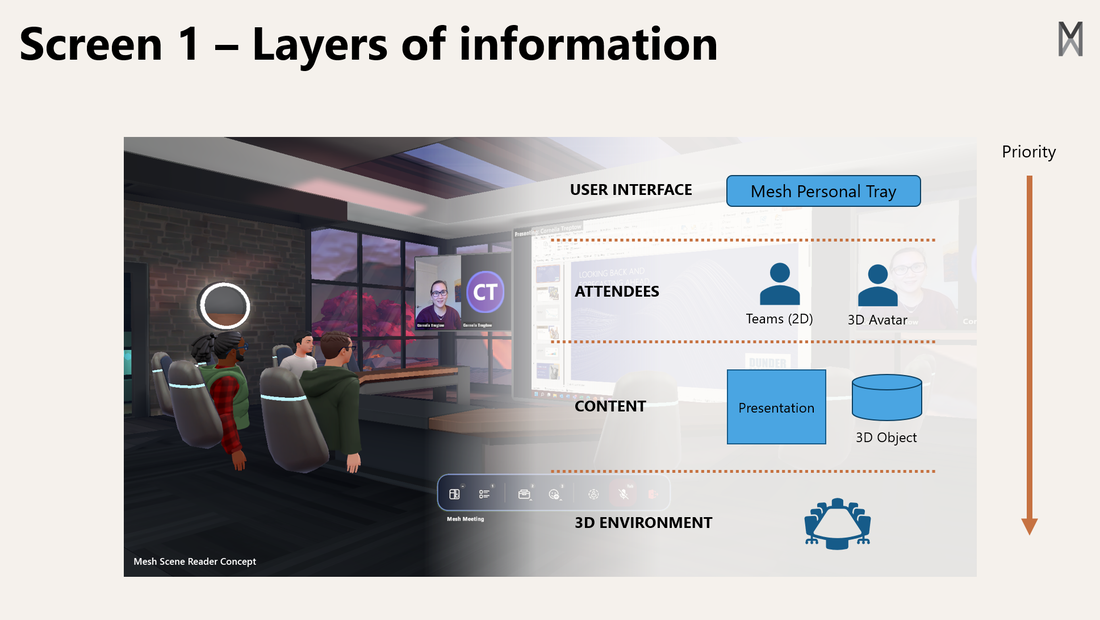
I listed every piece of information present in a virtual meeting and grouped it into four categories: the primary user interface, like microphone and camera controls and call management; attendees, ordered from closest to farthest in the virtual space; the presentation, covering shared slides and presenter location; and the environment — room layout, walls, tables, lighting, and other spatial details.
Navigation had to mirror a pattern blind users already knew.
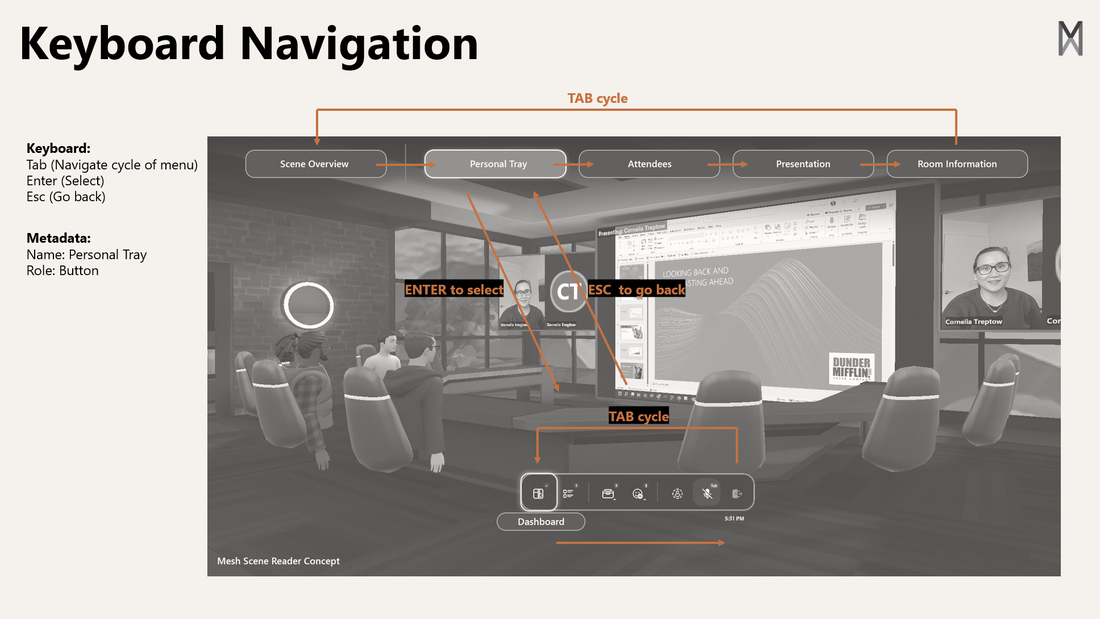
I designed a hierarchical navigation model that gave users a quick overview first, then let them drill into whichever category they needed — mirroring how blind users already navigate menus in websites and software today, so the learning curve stayed minimal.
Result
Engineering turned the model into something Narrator could actually read.
The team implemented a solution that parsed object metadata into a web browser, enabling existing assistive technologies like Windows Narrator to work seamlessly with Mesh.
Mesh became usable for the blind community for the first time.
The solution unblocked access to Mesh virtual meetings entirely, and pioneered a viable approach to “3D screen readers” that can scale to broader Mixed Reality platforms and industry standards.
Partner reaction confirmed the simplicity was the point.
Xbox called the approach so simple that they wondered why they hadn't thought of it first — and the design was awarded a Microsoft patent in 2023.
My Learnings
Cross-team expertise turned a hard problem into a solvable one.
Pulling in Research, Accessibility, Teams, and Xbox early meant the design started from real constraints and real user context, not assumptions.
Designing around an existing mental model lowered the learning curve.
Mirroring how blind users already navigate menus meant the feature felt familiar from the first use, instead of asking people to learn an entirely new interaction just to attend a meeting.
Small technical bridges can unlock entirely new access.
Parsing metadata into the browser, rather than building a bespoke narrator, was a small enough intervention to ship fast — and large enough to change who could use Mesh at all.
Learn more about this patented solution here
More Case Studies
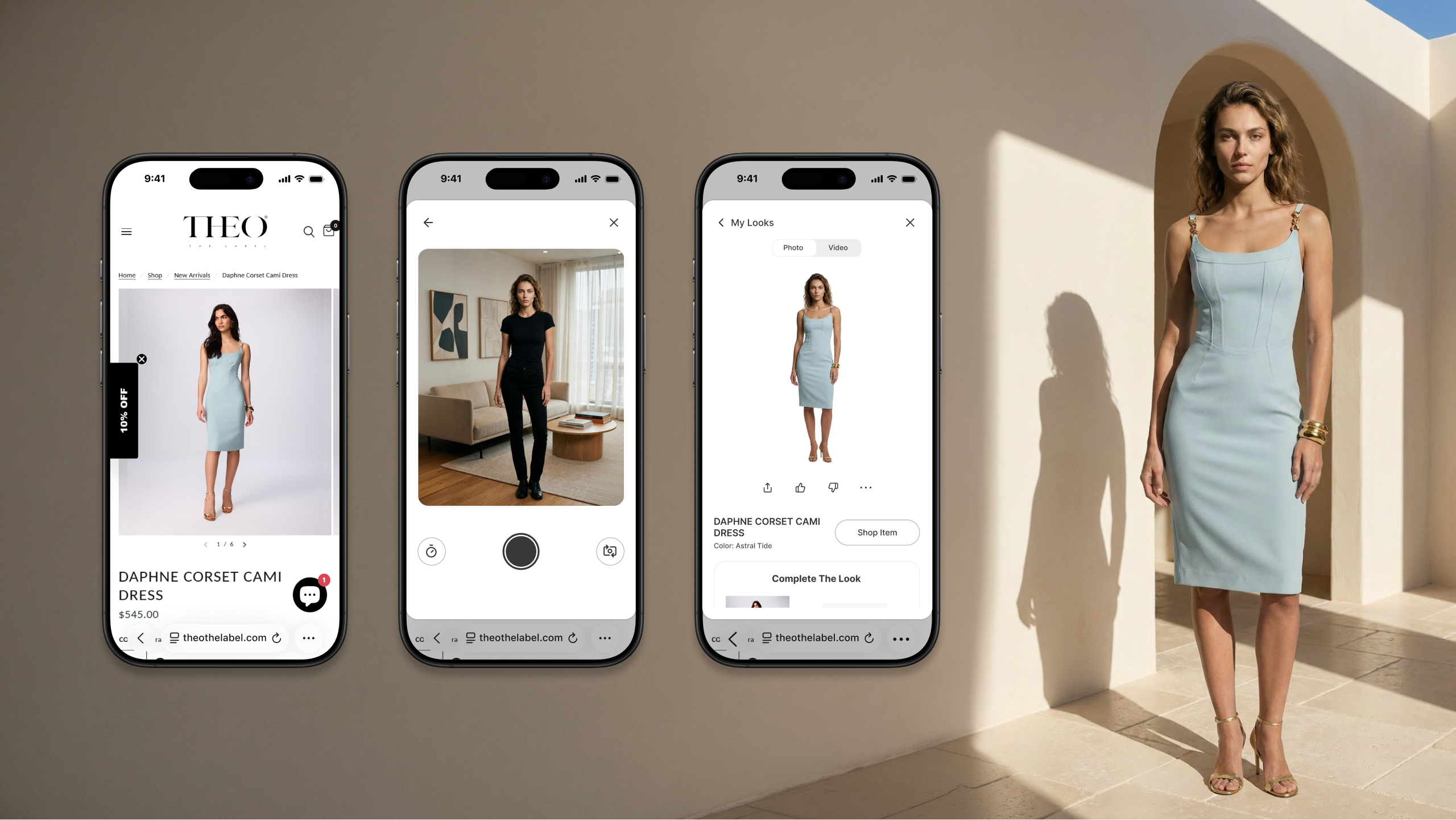
Making Fashion Personal With Generative AI
Designing a scalable virtual try-on platform for online e-commerce
View Case Study


Private
AI-Powered Collaboration Across Devices
Future of AI-powered collaboration and productivity across devices
View Case Study
Private
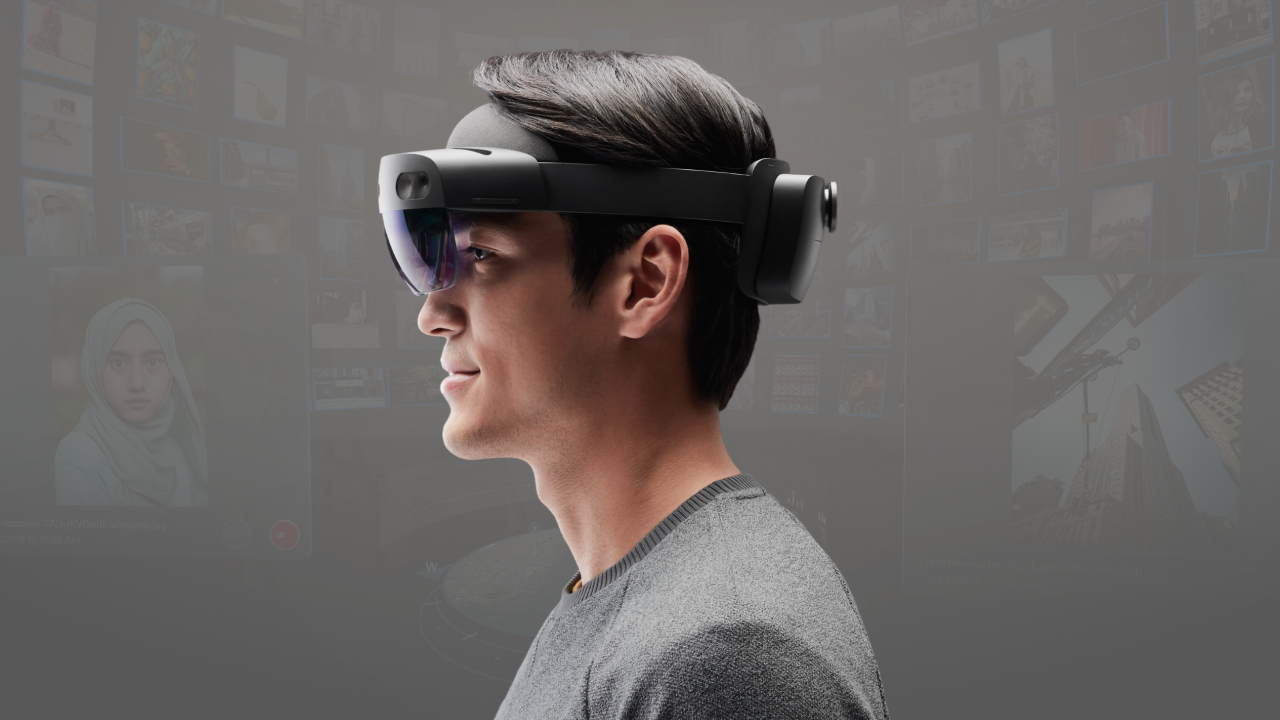
Media Triage in HoloLens 2
Spatial proof of concept to triage large volumes of media efficiently
View Case Study
Private
Case Study
Spatial Scene Reader
Patented accessibility solution for low vision users in immersive meetings

Mixed Reality
Web
SUMMARY
I designed Scene Reader, a solution that lets blind and low vision users attend Microsoft Mesh virtual meetings using their existing screen reader instead of learning something new. Working with a project manager and user researchers, and pulling in subject matter experts from Microsoft Research, Xbox, and the Inclusive Design Lab, I built a hierarchical navigation model that translates a virtual meeting's spatial complexity into something Windows Narrator could read aloud — unblocking the blind community from Mesh for the first time, and later earning a Microsoft patent for the approach.
ROLE
Senior Designer
TEAM
Project Manager, User Researchers
Collaborators
Mesh, Microsoft Research, Accessibility, Teams, Xbox
COMPANY
Microsoft Mixed Reality Design + Research
YEAR
2022
The Problem

Mixed Reality immerses users in spatial experiences using visual, audio, and physical inputs like hands or controllers. But blind users had no way to navigate those environments, because no “3D screen reader” existed to narrate virtual worlds — shutting them out of virtual events and meetings entirely.
Two barriers explained why the solution didn't already exist. Development tools were one: Mixed Reality content is built in platforms like Unity or Unreal, which don't integrate with platform-level accessibility tools like screen narrators. Information complexity was the other: virtual environments contain layered elements — UI, objects, characters, environment, lighting — with no standardized 3D metadata for accessibility to hook into.
My task was to design a solution that let low vision and blind users attend virtual meetings with a minimal learning curve, scoped to Microsoft Mesh on PC, where Teams users host immersive meetings. The plan was to leverage Mesh's browser access to integrate Windows Narrator directly, deliver it in time for Mesh's upcoming public release, and ensure the accessibility features met legal compliance requirements.
Why I Started By Listening, Not Wireframing
Before sketching a single flow, I met with subject matter experts from Microsoft Research, Mixed Reality, the Inclusive Design Lab, and Xbox to gather insights on accessibility for low vision situations. I also reviewed past user studies with the blind community, to build genuine empathy and understand what actually mattered to them in a meeting, rather than guessing.
Bringing It to Life: A Hierarchy Built Around How Meetings Actually Work
I listed every piece of information present in a virtual meeting and grouped it into four categories: the primary user interface, like microphone and camera controls and call management; attendees, ordered from closest to farthest in the virtual space; the presentation, covering shared slides and presenter location; and the environment — room layout, walls, tables, lighting, and other spatial details.
Navigation had to mirror a pattern blind users already knew.
I designed a hierarchical navigation model that gave users a quick overview first, then let them drill into whichever category they needed — mirroring how blind users already navigate menus in websites and software today, so the learning curve stayed minimal.
Result
Engineering turned the model into something Narrator could actually read.
The team implemented a solution that parsed object metadata into a web browser, enabling existing assistive technologies like Windows Narrator to work seamlessly with Mesh.
Mesh became usable for the blind community for the first time.
The solution unblocked access to Mesh virtual meetings entirely, and pioneered a viable approach to “3D screen readers” that can scale to broader Mixed Reality platforms and industry standards.
Partner reaction confirmed the simplicity was the point.
Xbox called the approach so simple that they wondered why they hadn't thought of it first — and the design was awarded a Microsoft patent in 2023.
My Learnings
Cross-team expertise turned a hard problem into a solvable one.
Pulling in Research, Accessibility, Teams, and Xbox early meant the design started from real constraints and real user context, not assumptions.
Designing around an existing mental model lowered the learning curve.
Mirroring how blind users already navigate menus meant the feature felt familiar from the first use, instead of asking people to learn an entirely new interaction just to attend a meeting.
Small technical bridges can unlock entirely new access.
Parsing metadata into the browser, rather than building a bespoke narrator, was a small enough intervention to ship fast — and large enough to change who could use Mesh at all.
Learn more about this patented solution here
More Case Studies
Making Fashion Personal With Generative AI
Designing a scalable virtual try-on platform for online e-commerce
View Case Study
Private
AI-Powered Collaboration Across Devices
Future of AI-powered collaboration and productivity across devices
View Case Study
Private
Media Triage in HoloLens 2
Spatial proof of concept to triage large volumes of media efficiently
View Case Study
Private
Case Study
Spatial Scene Reader
Patented accessibility solution for low vision users in immersive meetings
Mixed Reality
Web
SUMMARY
I designed Scene Reader, a solution that lets blind and low vision users attend Microsoft Mesh virtual meetings using their existing screen reader instead of learning something new. Working with a project manager and user researchers, and pulling in subject matter experts from Microsoft Research, Xbox, and the Inclusive Design Lab, I built a hierarchical navigation model that translates a virtual meeting's spatial complexity into something Windows Narrator could read aloud — unblocking the blind community from Mesh for the first time, and later earning a Microsoft patent for the approach.
ROLE
Senior Designer
TEAM
Project Manager, User Researchers
Collaborators
Mesh, Microsoft Research, Accessibility, Teams, Xbox
COMPANY
Microsoft Mixed Reality Design + Research
YEAR
2022
The Problem

Mixed Reality immerses users in spatial experiences using visual, audio, and physical inputs like hands or controllers. But blind users had no way to navigate those environments, because no “3D screen reader” existed to narrate virtual worlds — shutting them out of virtual events and meetings entirely.
Two barriers explained why the solution didn't already exist. Development tools were one: Mixed Reality content is built in platforms like Unity or Unreal, which don't integrate with platform-level accessibility tools like screen narrators. Information complexity was the other: virtual environments contain layered elements — UI, objects, characters, environment, lighting — with no standardized 3D metadata for accessibility to hook into.
My task was to design a solution that let low vision and blind users attend virtual meetings with a minimal learning curve, scoped to Microsoft Mesh on PC, where Teams users host immersive meetings. The plan was to leverage Mesh's browser access to integrate Windows Narrator directly, deliver it in time for Mesh's upcoming public release, and ensure the accessibility features met legal compliance requirements.
Why I Started By Listening, Not Wireframing
Before sketching a single flow, I met with subject matter experts from Microsoft Research, Mixed Reality, the Inclusive Design Lab, and Xbox to gather insights on accessibility for low vision situations. I also reviewed past user studies with the blind community, to build genuine empathy and understand what actually mattered to them in a meeting, rather than guessing.
Bringing It to Life: A Hierarchy Built Around How Meetings Actually Work
I listed every piece of information present in a virtual meeting and grouped it into four categories: the primary user interface, like microphone and camera controls and call management; attendees, ordered from closest to farthest in the virtual space; the presentation, covering shared slides and presenter location; and the environment — room layout, walls, tables, lighting, and other spatial details.
Navigation had to mirror a pattern blind users already knew.
I designed a hierarchical navigation model that gave users a quick overview first, then let them drill into whichever category they needed — mirroring how blind users already navigate menus in websites and software today, so the learning curve stayed minimal.
Result
Engineering turned the model into something Narrator could actually read.
The team implemented a solution that parsed object metadata into a web browser, enabling existing assistive technologies like Windows Narrator to work seamlessly with Mesh.
Mesh became usable for the blind community for the first time.
The solution unblocked access to Mesh virtual meetings entirely, and pioneered a viable approach to “3D screen readers” that can scale to broader Mixed Reality platforms and industry standards.
Partner reaction confirmed the simplicity was the point.
Xbox called the approach so simple that they wondered why they hadn't thought of it first — and the design was awarded a Microsoft patent in 2023.
My Learnings
Cross-team expertise turned a hard problem into a solvable one.
Pulling in Research, Accessibility, Teams, and Xbox early meant the design started from real constraints and real user context, not assumptions.
Designing around an existing mental model lowered the learning curve.
Mirroring how blind users already navigate menus meant the feature felt familiar from the first use, instead of asking people to learn an entirely new interaction just to attend a meeting.
Small technical bridges can unlock entirely new access.
Parsing metadata into the browser, rather than building a bespoke narrator, was a small enough intervention to ship fast — and large enough to change who could use Mesh at all.
Learn more about this patented solution here
More Case Studies
Making Fashion Personal With Generative AI
Designing a scalable virtual try-on platform for online e-commerce
View Case Study
Private
AI-Powered Collaboration Across Devices
Future of AI-powered collaboration and productivity across devices
View Case Study
Private
Media Triage in HoloLens 2
Spatial proof of concept to triage large volumes of media efficiently
View Case Study
Private